YouTube SEO for AI Search: What a 15-Video Test Shows
Peec AI rewrote the descriptions on 15 YouTube videos and saw AI retrievals jump 359%. Here is what the test proves, what it cannot, and how to write a description that helps.
By Mary Solo 7 min read
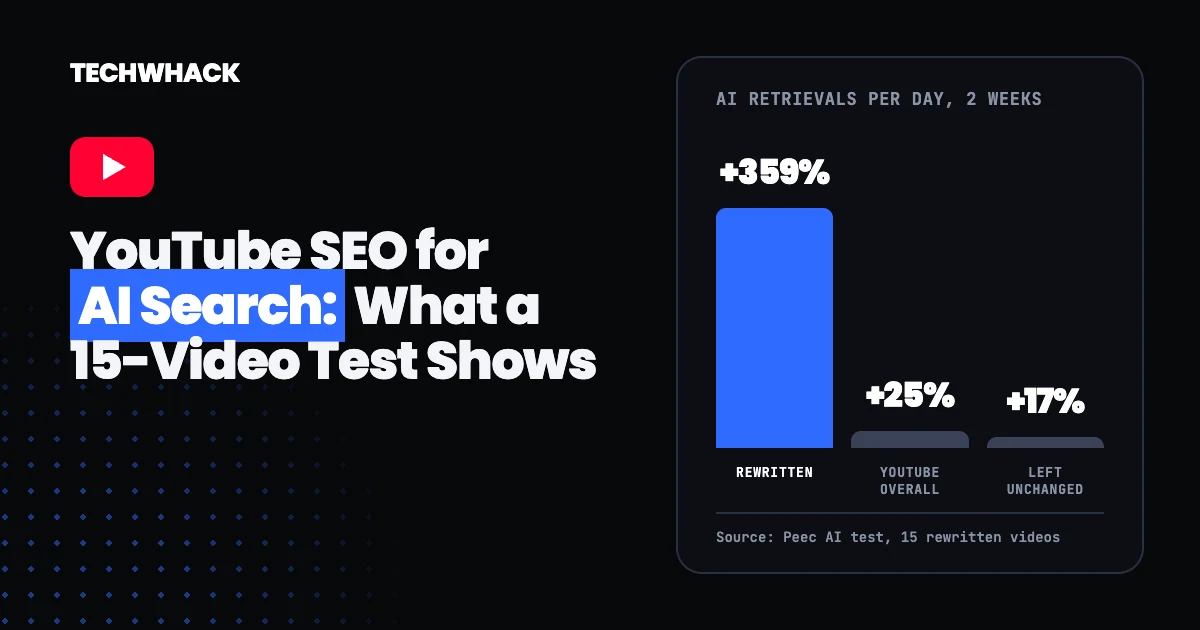
In October, Peec AI rewrote the descriptions on 15 YouTube videos and added timestamps. The videos themselves stayed the same. Over the next two weeks, the number of times AI tools retrieved those videos each day rose far faster than it did for videos Peec left alone. The result has been passed around marketing newsletters as proof that YouTube SEO now means writing for AI search. It is a useful signal, but the test is small, and it did not prove what the headlines say it did.
This guide covers what the test measured, what it could not show, what other studies say about YouTube and AI answers, and how to rewrite a YouTube description so it is useful to both viewers and AI tools.
Peec's test: AI retrievals of 15 rewritten videos rose 359%
The test comes from David Konitzny, a researcher at Peec AI, who published the results on LinkedIn. Search Engine Land's report adds the method: Peec tracked about 60 YouTube videos, updated the descriptions of 15 and added manual timestamps on Oct. 19, then compared Oct. 6 to 21 with Oct. 22 to Nov. 4.
Across all the AI models Peec tracks, daily retrievals changed like this:
- Videos with rewritten descriptions: up 359%
- Videos left unchanged: up 17%
- YouTube overall: up 25%
- Google AI Overviews: up 293% for the rewritten videos, against 27% overall
- Google AI Mode: up 129% for the rewritten videos, against 11% overall
A retrieval is not the same as a citation. Peec's documentation, as Techwyse notes, separates sources an AI tool accessed from sources it showed in the answer. Peec's post does not say exactly how it counts a retrieval.
The test cannot show that the descriptions caused the jump
Konitzny himself says the results do not prove that longer descriptions alone caused the increase, and Search Engine Land notes the study could not isolate the effect of the updates. Four things limit how far the numbers stretch:
- Small sample. Fifteen changed videos out of roughly 60, over two short windows.
- Two changes at once. Peec rewrote descriptions and added timestamps together, so neither can be credited alone.
- No raw counts. A review by Techwyse points out that the post gives no raw retrieval totals, no video-selection criteria and no full list of tracked prompts. A 359% rise on a low starting number can be a handful of extra retrievals.
- A rising tide. YouTube overall grew 25% in the same period, so the fair comparison is the gap above that trend, not the headline figure.
It also pays to check the numbers you are handed. One newsletter summary of the test gave YouTube's overall growth in AI Overviews as 27% and used it as the general baseline, but across all models Peec reports 25%. The 27% figure belongs to AI Overviews only.
YouTube is one of the most cited sources in AI answers
The reason the test drew attention is that YouTube already shows up in AI answers a lot. In Peec's analysis of 30 million sources, YouTube was the second most cited domain overall, behind Reddit, and the most cited domain in both Google AI Mode and AI Overviews.
OtterlyAI's YouTube citation study shows where those citations land. Perplexity accounted for 38.7% of YouTube citations and Google AI Overviews for 36.6%. Google AI Mode took 19.6% and ChatGPT only 4.4%. In practice, YouTube matters most for Google's AI features and Perplexity, and far less for ChatGPT.
Keep the scale in mind too. Indexly looked at 1.69 million citations collected from July 27 to Nov. 12, 2026 and found YouTube in 0.85% of them, or 14,352 citations. That is its own tracked sample, not the whole web, and Indexly says the data does not prove a description effect either.
Timestamps are the part with independent support
Of the two changes in Peec's test, timestamps have more backing outside it:
- Google says its search results can show key moments from a video, and that it prioritizes the moments you mark yourself, through structured data or through timestamps in the description. See Google's video documentation.
- In OtterlyAI's data, YouTube citations that pointed to a specific timestamp appeared only in Google's AI products: 73% in AI Overviews and 27% in AI Mode. None showed up in ChatGPT, Gemini, Copilot or Perplexity during the study.
- The same study found description length had a weak link to repeat citations (a correlation of 0.31), and views, likes and subscriber counts had almost none.
That last point is the useful one for small channels. In that data, a video was not cited more often because the channel was big.
How to write a YouTube description for AI search
Nothing here needs a tool. It takes a few minutes per video in YouTube Studio.
- Open with the answer. Write the first one or two sentences as a plain answer to the question the video answers. If the video is "how to fix a leaking tap," start with what causes the leak and what the fix involves.
- Use the words people search. YouTube's own description guidance says to pick one or two main words that describe the video and feature them prominently. Put them in the title and the first lines.
- Add chapters. Per YouTube Help, the first timestamp must be 00:00, you need at least three in ascending order, and each chapter must run at least 10 seconds. Write each chapter title as a short phrase someone could search. Our step-by-step guide to YouTube chapters walks through it.
- Write a unique description for every video. YouTube says unique descriptions make videos easier to find and help them stand out from similar ones. Do not paste the same block under every upload.
- Use the space only when you have something to say. The limit is 5,000 characters. Konitzny's own post says filling all of them is not the goal. Add context, sources, links and a short summary of each section, not filler.
- Keep it true to the video. Whatever a description promises has to match what is on screen, or viewers leave and the signals you are chasing disappear.
Add your channel to Search Console to see real queries
Google Search Console now supports platform properties, so a YouTube channel can be added as its own property. It was reported on July 7, 2026, and Google's help page lists YouTube, TikTok and X as supported platforms. You add the channel through the property selector, verify it, and the performance reports then show how your content appears in Google Search. Data takes a few days to start filling in.
This is the closest thing available to a measurement of your own. It shows the Google queries your videos appear for, so you can write descriptions around real searches instead of guesses.
Run your own test before rewriting everything
If you have more than a handful of videos, treat Peec's result as a reason to test, not a rule to follow.
- Pick 10 to 20 videos with similar topics and similar view counts.
- Rewrite and add chapters on half of them. Leave the other half alone as your control.
- Record Search Console impressions for each video for two weeks before the change and four weeks after. If you pay for an AI visibility tracker, record retrievals and citations as well.
- Compare the changed group against the control group, not against your last month. Overall growth in YouTube's AI citations lifts everything, as Peec's own figures show.
- Change descriptions and chapters in separate rounds if you can, so you learn which one did the work.
Common questions about YouTube SEO and AI search
Do YouTube descriptions affect AI search results?
They may. Peec's test and OtterlyAI's data both point that way, but neither shows cause and effect. Treat a clear, structured description as a low-cost bet that also helps viewers.
Should I add timestamps to every YouTube video?
Yes, for any video long enough to have distinct sections. Chapters help viewers navigate, Google uses creator-set key moments, and timestamped citations appeared in Google's AI features in OtterlyAI's study.
How long should a YouTube description be?
YouTube allows up to 5,000 characters. There is no proven ideal length. Write as much as the video needs and no more.
Does ChatGPT read YouTube descriptions?
Konitzny wrote in September that ChatGPT reads the description and not the video transcript, though a commenter on that post disputed it. ChatGPT also accounts for only a small share of YouTube citations in OtterlyAI's data, so Google's AI features and Perplexity are the bigger prize.
Is this the same as generative engine optimization?
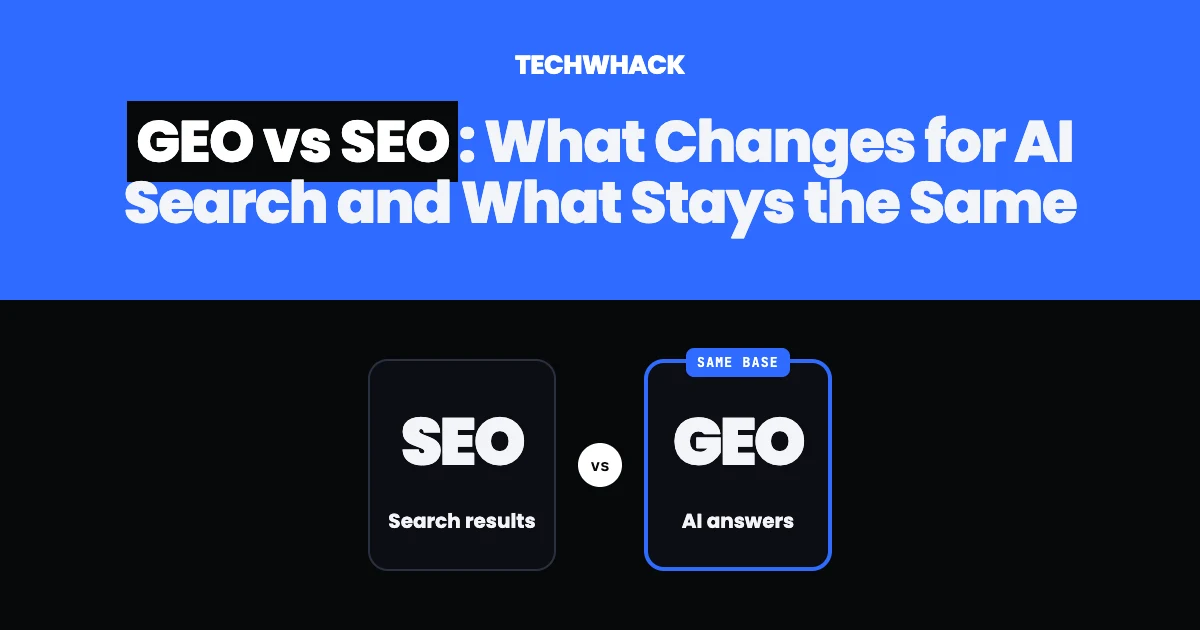
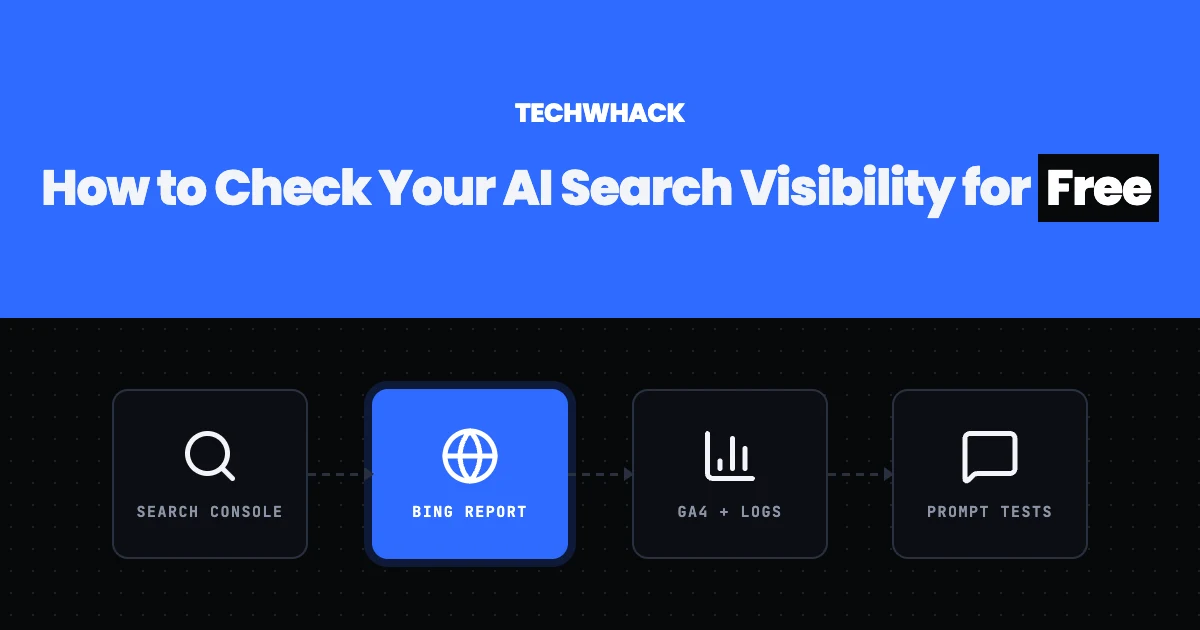
It is one small piece of it. Generative engine optimization, also called answer engine optimization or AI search optimization, covers every way of making your content easy for AI tools to retrieve and cite, from page structure to the sources you link. Rewriting YouTube descriptions applies the same idea to video. Our guides to GEO vs SEO and to checking your AI search visibility for free cover the rest.
Follow topics, companies and writers from this story to see more like it in your feed and get email updates.
- Mary SoloWriter
 Continue with Google