How to Add Timestamps and Chapters to a YouTube Video
Add chapters in YouTube Studio with three or more timestamps starting at 00:00, each at least 10 seconds. Steps, automatic chapters and fixes.
By Marcus Vale 4 min read
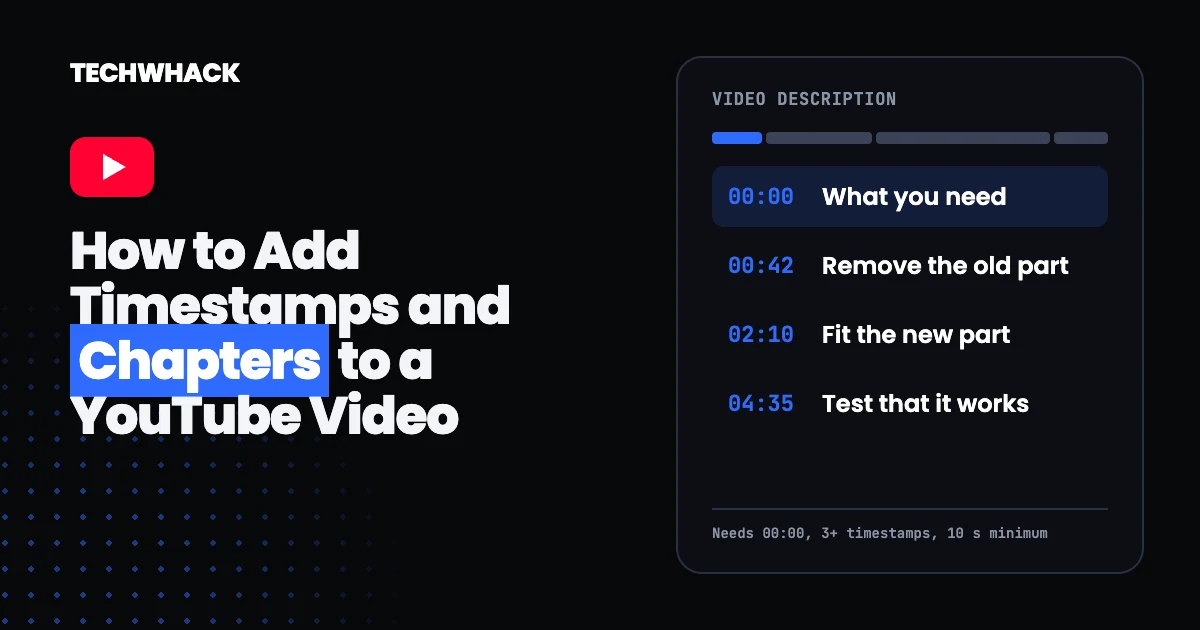
Chapters split a YouTube video into sections, each with its own preview, so viewers can jump to the part they came for. You add them yourself by typing a list of timestamps into the video description. YouTube can also generate them automatically. This guide covers both methods, the rules that decide whether chapters appear, and why they are worth the few minutes they take.
Chapters need 00:00, three timestamps and 10 seconds per chapter
YouTube's help page on video chapters sets three rules for chapters you write yourself:
- The first timestamp in the list must be 00:00.
- The video needs at least three timestamps, listed in ascending order.
- Each chapter must run at least 10 seconds.
A list that breaks these rules will not show up as chapters.
How to add chapters in YouTube Studio
- Sign in to YouTube Studio.
- Select Content from the left menu.
- Click the video you want to edit.
- In the Description, add a list of timestamps and titles.
- Click Save.
YouTube notes that adding your own chapters overrides automatic chapters for that video.
What a chapter list looks like
This is an example we made up to show the format. It is not a real video.
00:00 What you need
00:42 Remove the old part
02:10 Fit the new part
04:35 Test that it works
05:20 Common mistakes
Each line is a timestamp followed by a short title. Write the title as a phrase a viewer could search for. "Remove the old part" tells people more than "Step 2."
How to use automatic chapters
- Sign in to YouTube Studio and select Content.
- Click the video.
- Click Show more, and under Automatic chapters select Allow automatic chapters.
- Click Save.
By default the box is checked for new uploads, and you can allow automatic chapters in bulk. Not every video qualifies. YouTube says that if the channel has any active strikes, or the content may be inappropriate for some viewers, the chapters feature is not available.
How to turn automatic chapters off
For one video, open it in YouTube Studio, click Show more, untick Allow automatic chapters and save. To turn the feature off for every new upload, open Settings, then Upload defaults, then Advanced settings, untick the automatic chapters option and save.
Why chapters are not showing on your video
Check the list against the three rules first: the first timestamp must be 00:00, there must be at least three entries in ascending order, and no chapter can be shorter than 10 seconds. If you rely on automatic chapters, eligibility is up to YouTube, and a video that does not qualify will not get them.
Why chapters are worth adding beyond navigation
YouTube notes that chapters may appear in video transcripts. Google also says that, for key moments in search results, it prioritizes moments you set yourself, through structured data or the YouTube description (Google's video documentation). In OtterlyAI's YouTube citation data, citations that pointed to a specific timestamp appeared only in Google's AI products. We cover the wider evidence, and what it does not prove, in our guide to YouTube SEO for AI search. To check whether any of this is reaching AI tools, see how to check your AI search visibility for free.
Common questions about YouTube timestamps and chapters
How do I add timestamps to a YouTube video description?
Open the video in YouTube Studio under Content, add a list of timestamps and titles to the description with the first one at 00:00, and save. YouTube turns a valid list into chapters.
How many timestamps do I need for chapters?
At least three, in ascending order, starting with 00:00. Each chapter must run at least 10 seconds.
Can YouTube add chapters for me?
Yes, through automatic chapters. The setting is on by default for new uploads, but not every video is eligible, and chapters you write yourself override the automatic ones.
Do I need to write titles for each timestamp?
Yes. A chapter is a timestamp plus a title. Short, specific titles help viewers scan the list.
Follow topics, companies and writers from this story to see more like it in your feed and get email updates.
- Marcus ValeWriter



 Continue with Google